Factory handbook / Full release · PC
Day too short? Keep the factory moving
Prioritize killing creatures and feeding their bodies into the crusher during daylight. Leave finished-can deposits for after the day ends when needed: a launch-day player reports that you can still sell cans then. This keeps selling from competing with every daytime job.
Updated 2026-10-31 · Full release · PC
A routine for short days
Clear creatures during the day
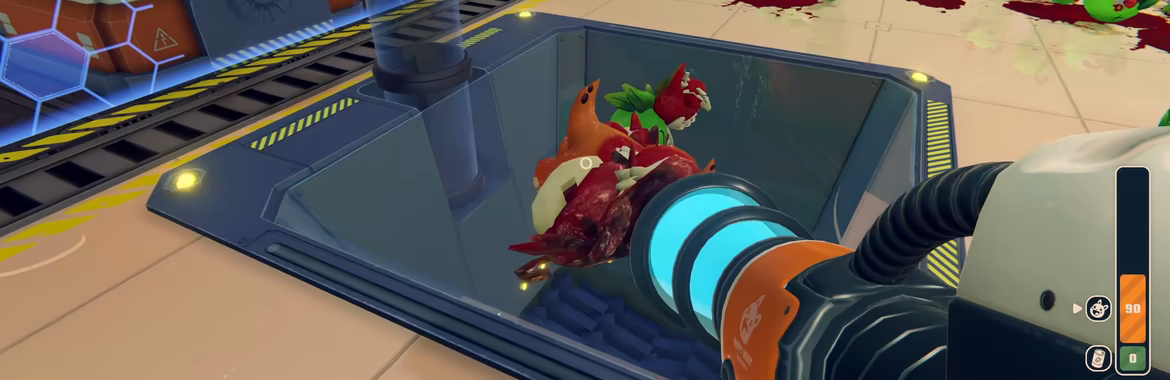
The truck brings creatures into the factory. Kill them with your weapons, then get the bodies into the crusher’s rectangular, hazard-edged hopper. Spend your short daylight on these jobs before making repeated trips with finished cans.
Turn the bodies into cans
Throw the bodies into the hopper shown below. The machine processes them into cans at its output. Keep the input and output separate in your routine: bodies go into the rectangular crusher, while finished cans go to the round selling tube.
 Open full-size image ↗
The open crusher receives bodies. Official Steam store footage. Use after-dark time for finished-can deposits
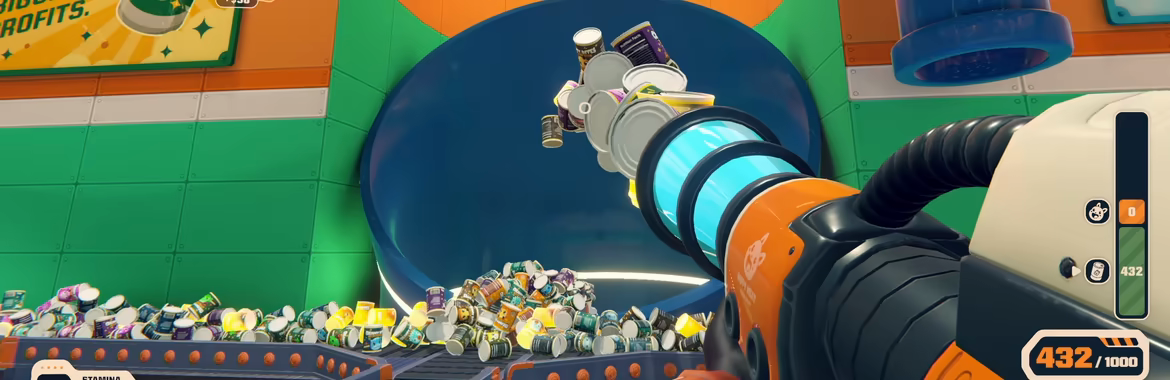
Take the finished cans to the large blue round tube and put them inside. The launch-day tip covers depositing cans after the day ends; keep your daytime killing and body-processing work ahead of that sale run.
 Open full-size image ↗
The round tube is the selling destination for finished cans. Official Steam store footage. Check that the cans were actually sold
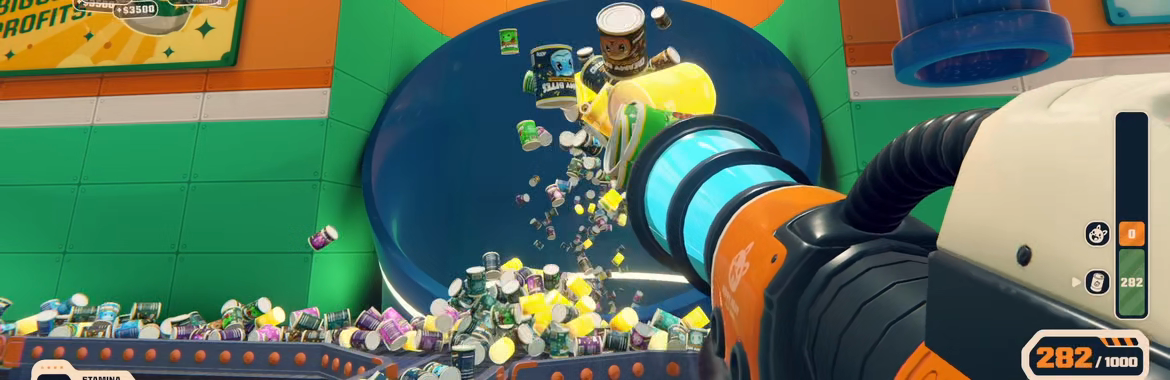
Watch the can inventory decrease as the cans enter the tube, or look for the positive money feedback. The white selection arrow belongs beside the can icon and green inventory when you are handling cans. A can lying outside the mouth of the tube is still waiting to be sold.
 Open full-size image ↗
The can icon, white selection arrow and green inventory are enlarged here. The full official Steam frame also shows the sale feedback. Start the next day when you are ready
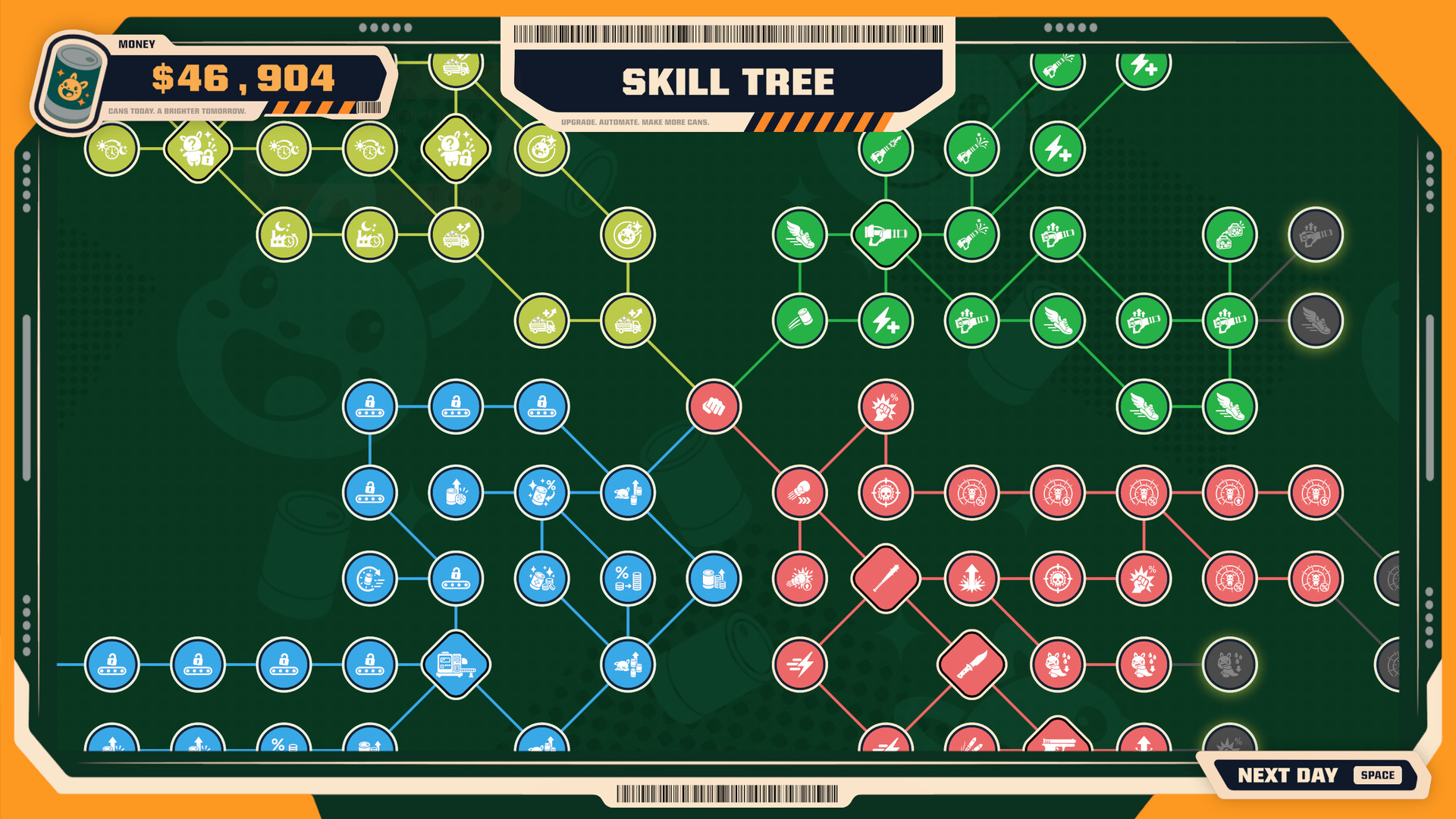
In the Skill Tree, use the visible NEXT DAY [SPACE] prompt to begin another day. If the last round was spent carrying cargo, use the upgrade-priority guide below to decide which part of the loop needs help before repeating it.
 Open full-size image ↗
The next-day prompt is at the lower right of the Skill Tree. Official Steam store screenshot.
When the sale run is complete
Your sale run is done when the cans have entered the blue tube and the cargo count has fallen or positive income feedback appears. You can then begin the next day using the Skill Tree’s NEXT DAY [SPACE] prompt.
Cans not reaching the sale?
Check the cargo and destination before treating a failed deposit as a bug. You need cans, not bodies, and the blue circular tube rather than the rectangular hopper. With the vacuum equipped, use the wheel until the white arrow selects cans, then left-click to throw them into the mouth. Watch for a falling can count or income rather than cans landing on the floor.
Playing the Demo?
An October 27 Demo player resolved an after-dark deposit problem by changing cargo modes with the mouse wheel. This is a Demo-specific tip. Read the Demo report ↗
Keep the next job moving
Sources & scope
The after-dark can-deposit tip comes from LindenCNB’s October 30 launch-day reply. It covers can sales, not every factory action at night. The production loop and UI images come from the official Steam store. Read the launch-day tip ↗