Equipment & Upgrades / PC launch release
Industrial Vacuum
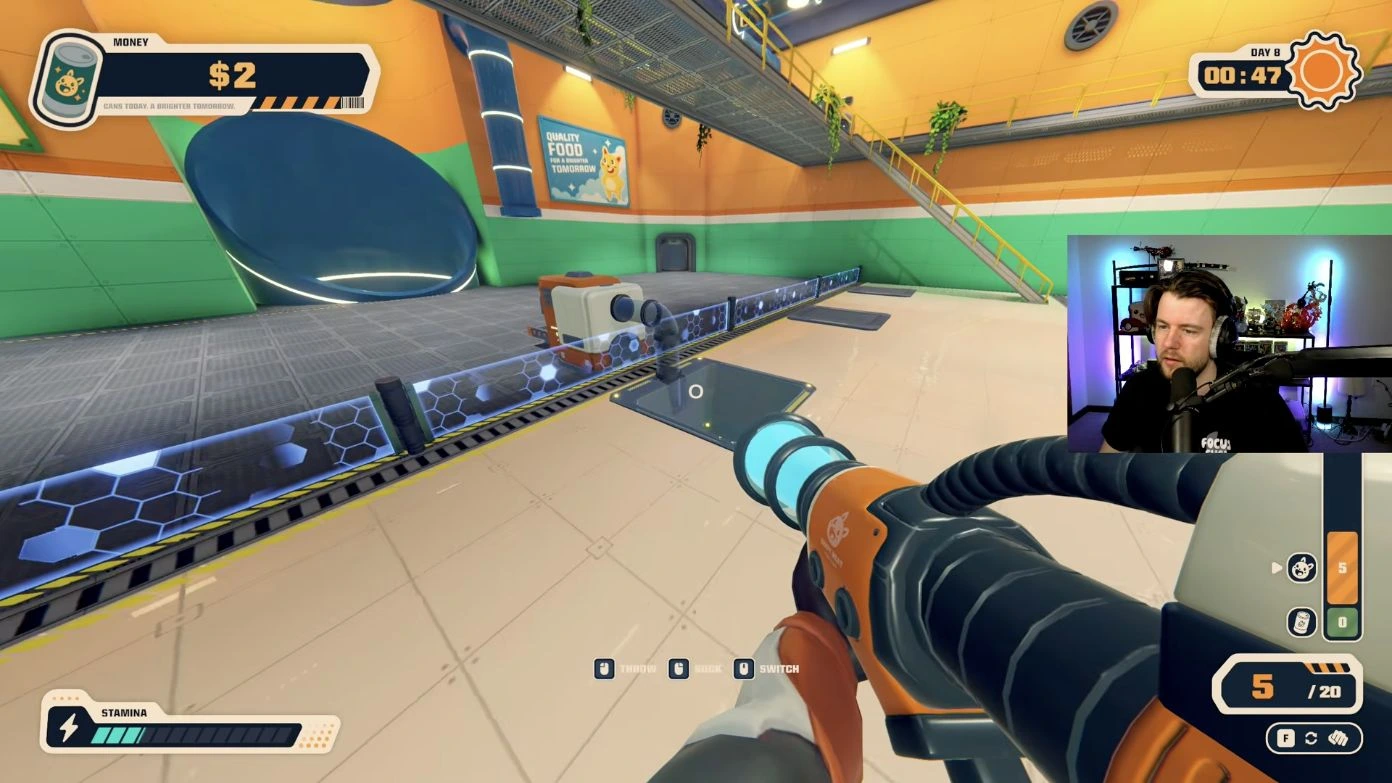
The Industrial Vacuum replaces repeated hand-carrying trips with cargo collection and release. Equip it with F, right-click to suck up cargo, use the mouse wheel to select bodies or cans, and left-click to throw the selected cargo into the correct destination.
Updated 2026-10-31 · PC launch release
 Open full-size image ↗
How to get it
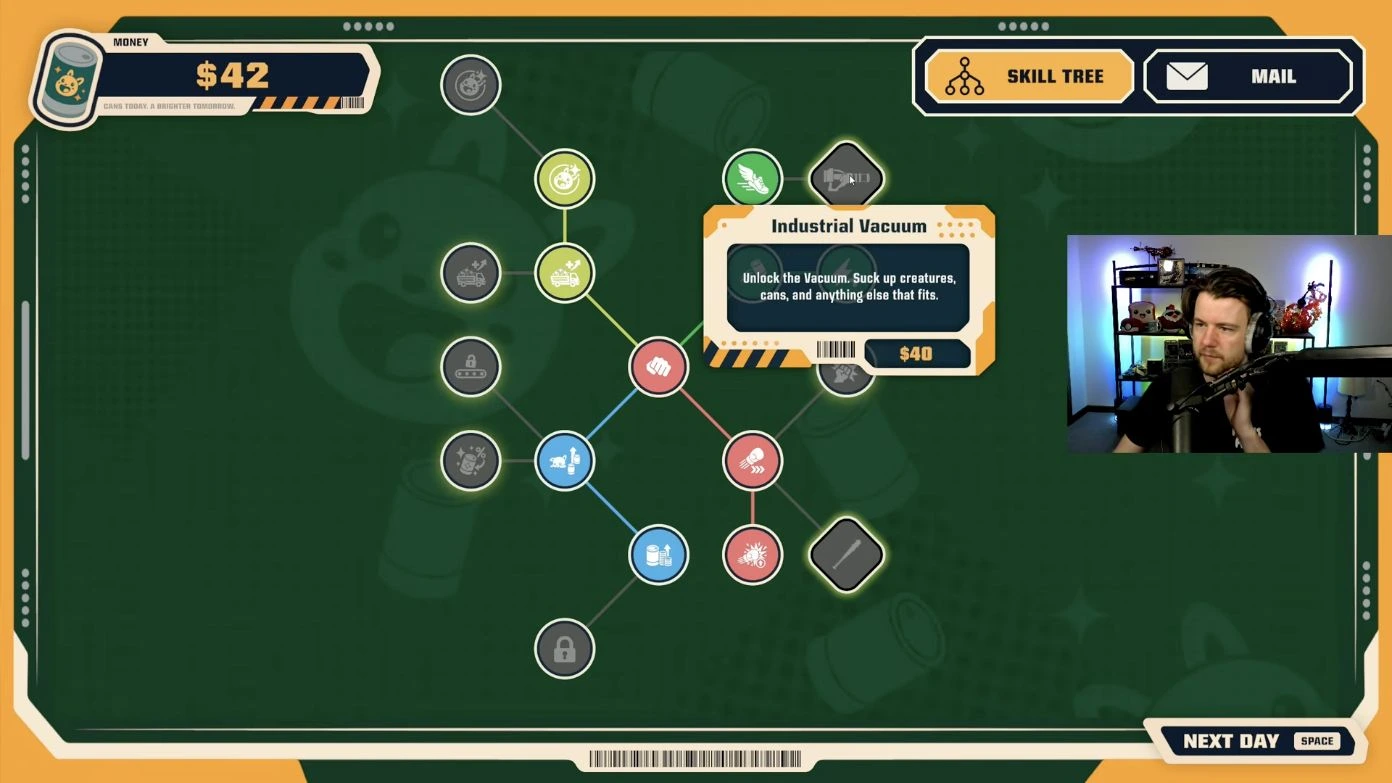
After a sale run, enter the lit lift to reach the Skill Tree. In the cited PC launch run, the route goes from the opening punch node through Professional Yeeter, Cardio and Move It to the $40 Industrial Vacuum diamond.
What it does
Collect dead creatures from the floor and release them into the rectangular crusher hopper. Collect finished cans separately and release those into the large blue round selling tube. Buying the vacuum helps move cargo; it does not process bodies or sell cans that are still sitting in storage.
The route to the vacuum
Use the node names and connecting lines to find the route. These upgrades improve hand throwing, stamina and running before the vacuum purchase. The table records prices and effects visible in the cited launch scenes; later purchases may differ.
 Open full-size image ↗
| Node | Effect visible in the scene | Price visible |
|---|---|---|
| Professional Yeeter | Throwing force: 0% → +50% | $3 |
| Cardio | Maximum stamina duration: 5s → 6s | $8 |
| Move It | Running speed: 0% → +5% | $6 |
| Industrial Vacuum | Unlocks the vacuum for creatures, cans and other cargo that fits | $40 |
Equip it, collect and choose the cargo
Press F to switch from your weapon to the vacuum. Aim at cargo and use the right mouse button to suck it up. Roll the mouse wheel to switch between the body and can categories; check the white arrow beside the category you want to release. F changes the equipped tool, while the wheel changes the selected cargo.
Open full-size image ↗| Input | Action |
|---|---|
| F | Switch between the vacuum and weapon |
| Right mouse button | SUCK: collect cargo |
| Mouse wheel | SWITCH: choose the body or can cargo category |
| Left mouse button | THROW: release the selected cargo |
Empty bodies into the hopper
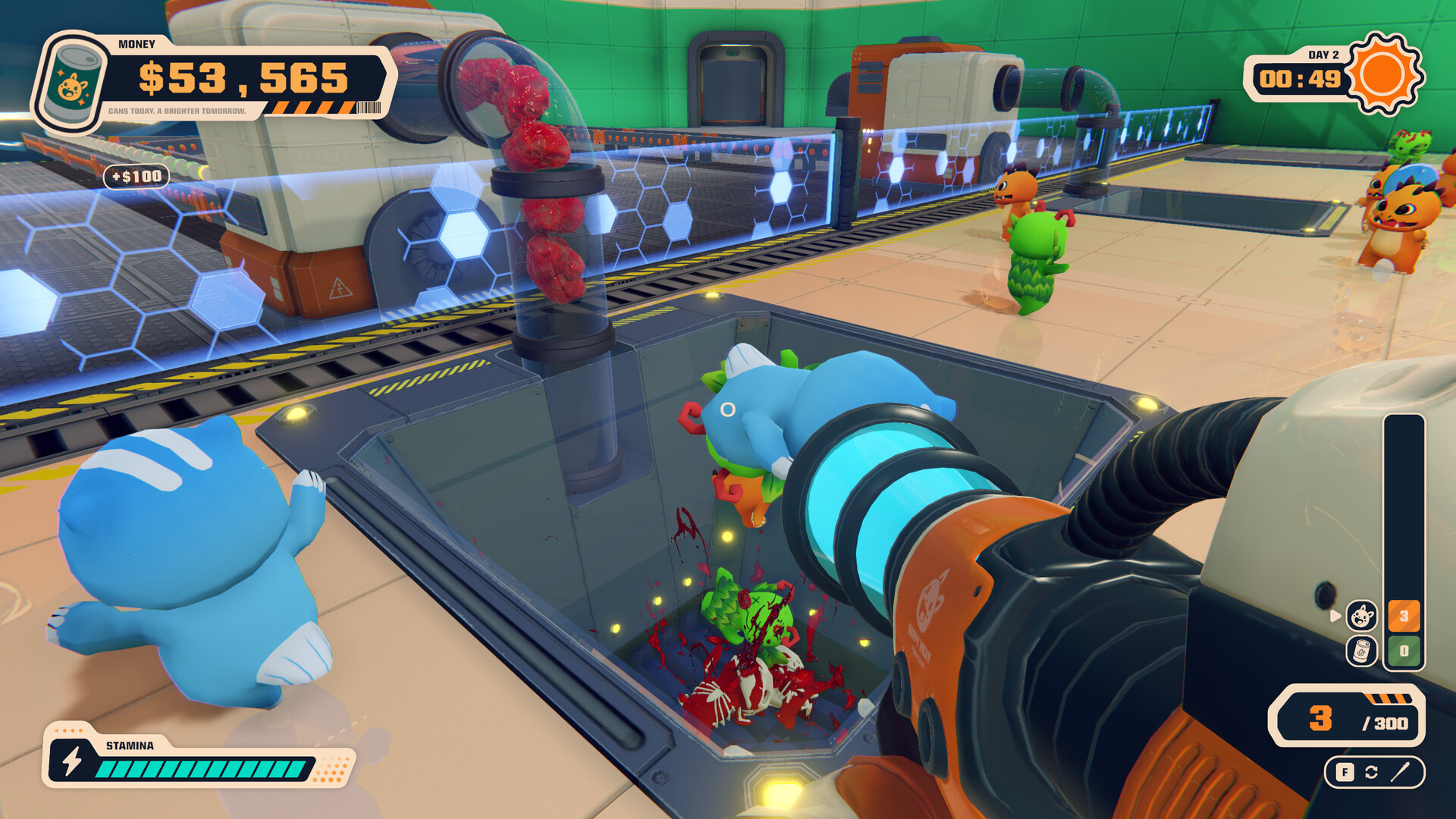
Select the body icon, aim into the rectangular crusher hopper and use the left mouse button to throw the stored bodies into it. Check that the body count falls and that the bodies land inside the hopper. Empty loads during daylight so the machine has time to process them; the vacuum is a delivery tool, not extra processing capacity.
 Open full-size image ↗
Switch to cans before selling
Suck up the cans at the machine’s output, roll the wheel until the white arrow is beside the can icon, then aim into the blue tube and throw them in. Watch for the can count to decrease and positive money feedback. If you are firing bodies at the tube, change the cargo selection before trying again.
Open full-size image ↗If the tool is not doing what you expect
Check three things in order: is the vacuum equipped rather than your weapon, is the white arrow beside the cargo you want, and are you aiming inside the correct opening? Watch the load indicator when collection stops; unload at the hopper or tube before collecting again. Cargo that falls outside the opening still needs moving.
Next steps
Sources & scope
Purchase steps and controls were checked against SlackATK’s PC launch playthrough, uploaded October 31. Scenes at 04:36, 20:42–20:53 and 23:28–24:17 show the listed prices and effects. The $40 card unlocks the vacuum. Watch the vacuum purchase and first use ↗